Define the operator station before the enclosure
For a fixed installation, start with what the operator sees and does. A station used to review work instructions has different requirements from one used to enter production information or select services. Describe the expected viewing distance, whether the user is seated or standing, and whether the task involves repeated touches. Include the surrounding equipment and any objects that could obstruct the screen or the user's hand.
This is a 27-inch product listing, not a universal fit for every workstation. Use the intended interface at full scale to decide whether the display is appropriate. Ask your designer to identify the most frequently used controls and keep them within a comfortable reach. If the station serves users with different access needs, include those needs in the layout review. The enclosure should follow the task, rather than force users to work around it.
Separate a panel PC description from a rating
The original product listing uses industrial language, but the available product text does not establish a specific ingress rating, impact rating, operating temperature range or resistance to vibration. Those characteristics must be confirmed for the actual configuration if they are required by the installation. Do not infer them from the product name, a metal-looking enclosure or the fact that the computer will be used near equipment.
Give the supplier a realistic description of the environment: dust, cleaning, moisture, ambient heat, vibration and access by the public or staff. Request supporting documentation for any rating that forms part of your purchase specification. A dry indoor information station and an exposed machine interface should not be evaluated against the same assumptions. This page helps frame an inquiry; suitability for a demanding environment remains a technical approval step.
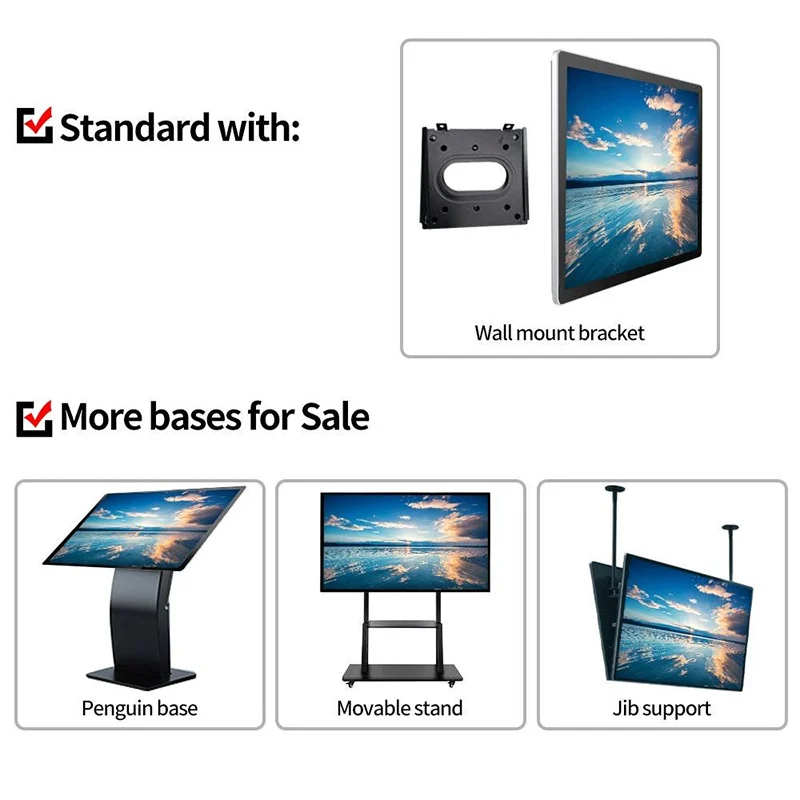
Resolve the complete mechanical envelope
A diagonal measurement is not an installation drawing. Request the overall width, height and depth, the active display area, fixing details and connector positions for the proposed 27-inch configuration. If you need an embedded arrangement, specify the opening, front overlap and available space behind the panel. Ask which mounting approach is actually supported before the mechanical team commits to a cutout.
Check the assembled station, not just the bare computer. Cable connectors and strain relief may occupy space outside the enclosure outline. A bracket may need room for adjustment or removal. Your drawing review should also cover the path used to insert and replace the unit. Where different contractors supply furniture, mounting parts and electronics, give all of them the same approved drawing revision. This avoids a fit problem becoming an argument about which preliminary sketch was used.
Match the computing board to the application
Alihh's product text describes configurable Android or computer motherboard options and Android or Windows systems. It does not identify one mandatory processor, memory capacity or storage size for every unit. Ask for a specific bill of materials and have the software owner review it. A panel used to display a simple browser page may require a different configuration from one running a locally installed application with several connected devices.
Supply the application installer or compatibility requirements through an agreed channel, and clarify which team performs integration. If your application relies on a particular driver, browser component or operating system feature, name it explicitly. Request the operating system release, license arrangement and update policy as part of the configuration discussion. Do not assume a larger display means a more capable computer board or that every operating system option supports the same peripherals.
Check touch behavior at the installation angle
The listed input technology is ten-point capacitive touch. Your sample should be tested in the planned orientation and mounting position, because the interface that looks convenient on a desk may feel different when fixed to a wall or equipment housing. Check the edges of the active area, any on-screen keyboard and the controls used most often. Watch for an operator's hand obscuring information needed to complete the task.
Special operating conditions require separate confirmation. If staff wear gloves, use a stylus, apply a protective layer or work around moisture, describe the exact situation and ask whether the proposed touch configuration supports it. None of those capabilities follows automatically from capacitive touch. Agree on a practical demonstration using the intended materials and application. Record the result so a future configuration change can be assessed against the same requirement.
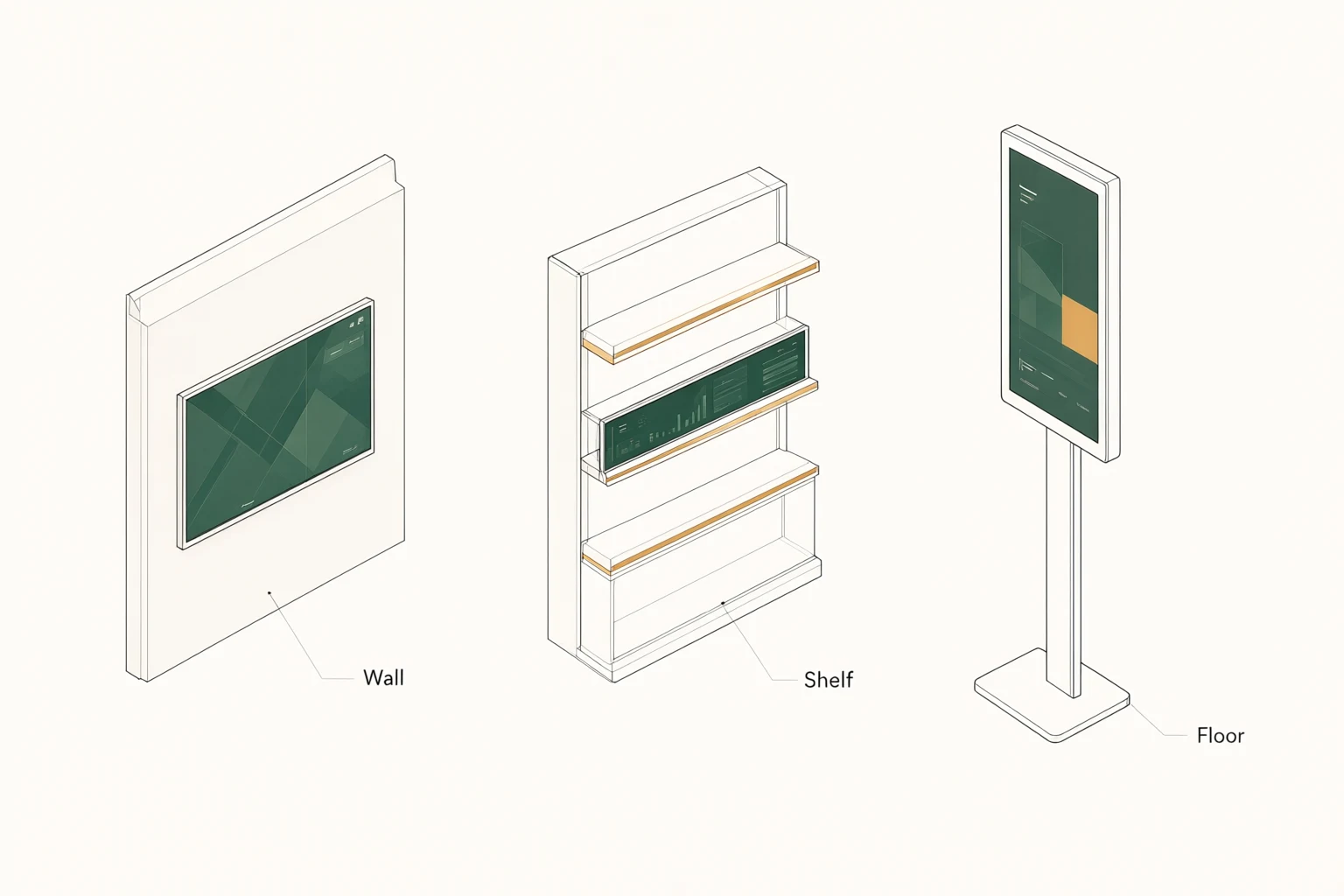
Map connections and reserve service space
Prepare a connection schedule before accepting the enclosure design. Include the network, power supply and each peripheral the station will use. Where your project requires serial communication, external video, USB devices or another interface, request confirmation of the connector, protocol and driver on the quoted unit. This page does not establish a standard port count or a guaranteed set of industrial communication interfaces.
Cable routing should be reviewed with the installer. Identify where cables enter, how they are restrained and how a technician reaches them after the station is assembled. Avoid relying on a product photograph to determine connector clearance. Ask whether a connector change affects the enclosure or computing board. If a peripheral is essential to the station, include that specific model in the sample test rather than accepting a general statement that similar devices have been used elsewhere.
Turn SDK availability into a useful development plan
A free SDK and developer tools are listed for this product. For an integration project, their value depends on the functions exposed and the documentation available for the selected hardware and operating system. Request the relevant package and ask your developer to identify any missing interfaces early. SDK access does not mean your custom application, protocol adapter or long-term software maintenance is included free of charge.
Separate the hardware acceptance from the software acceptance. The first can cover the configured computer, touch input and agreed connections. The second should describe the actual application behavior, error handling and recovery sequence. If you request custom work, define the deliverables and ownership of any source files or compiled packages. A clear division makes the quotation review more useful and gives the project manager a practical way to track unresolved integration questions.
Review power, heat and daily operation
Ask for the power input, power supply arrangement and consumption figures associated with the proposed configuration. Pass those details to the engineer responsible for the station. If the unit sits inside a larger enclosure, explain the available airflow and nearby sources of heat. The supplier should review that setting before the installation design is approved. No fan arrangement, thermal rating or continuous operating schedule is assumed here.
Describe how the station starts each day and what should happen after power returns unexpectedly. Your application may need to reopen without exposing a desktop, retain a setting or reconnect to a service. Treat those behaviors as software and configuration requirements to demonstrate. Include the proposed cleaning method and access restrictions in the operating brief. A suitable maintenance instruction should reflect the delivered screen surface and enclosure, rather than a generic instruction copied from another device.
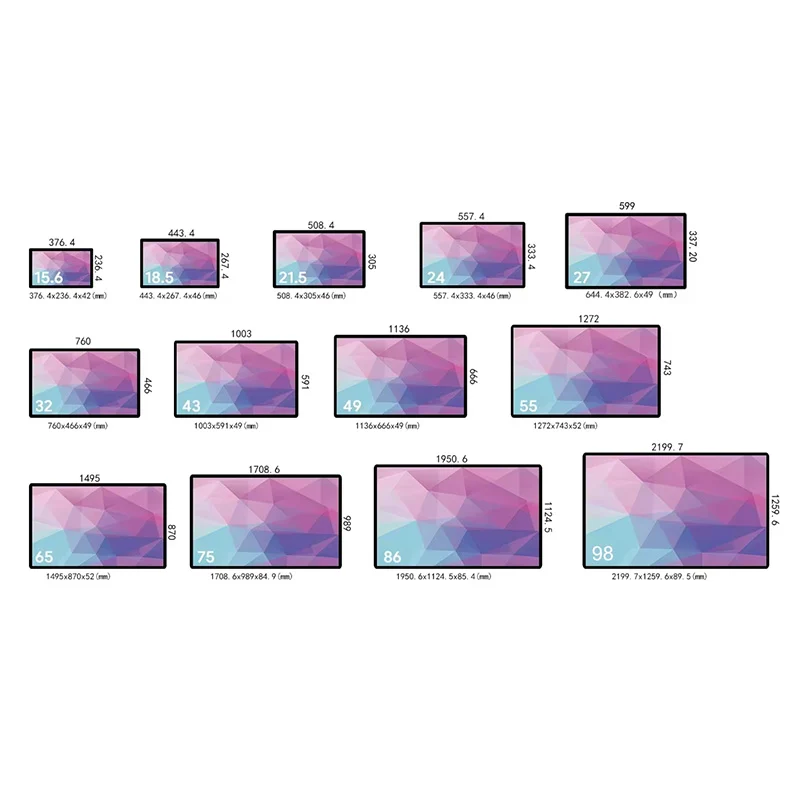
Run a fit sample before releasing production drawings
A physical sample can answer questions that a rendered image cannot. Place it in the intended opening or a representative mock-up and check fastener access, cable routing, operator reach and service removal. Confirm that the bezel does not hide interface elements and that the active screen position matches the drawing. Where the final furniture is expensive to change, resolve these details before approving its production.
Then run the real software and peripherals in that same arrangement. Record configuration identifiers, software versions and any adjustments made during the trial. Ask how later substitutions will be communicated, and decide which changes require a new fit or functional review. These are recommended buyer controls, not a description of an automatic factory procedure. You can review other touch PC options if the 27-inch format proves unsuitable before the mechanical design is frozen.
Submit a drawing-led OEM inquiry
For this product, a useful inquiry combines a mechanical package with an application package. Send the proposed mounting arrangement, available enclosure space, screen orientation, operating environment and quantity. Add the operating system requirement, software workload, peripheral models and target destination. If you need appearance changes, show the requested finish or branding position and distinguish cosmetic preferences from functional constraints.
Ask the quotation to identify the exact configuration, included accessories, customization scope, sample terms and proposed schedule. Request relevant compliance documents for the quoted unit and your destination market; do not assume a company-level statement proves every configuration is approved for every use. The OEM project inquiry page is the place to start that technical discussion. Approve a configuration only when the remaining questions have clear owners and written answers.
Frequently asked questions
Does the word industrial guarantee an IP rating?
No specific IP or impact rating is established by the information on this page. If your installation needs one, state the requirement and request documentation for the exact quoted configuration. The intended environment should be reviewed before a sample is approved.
Can it run my Windows application?
Windows is an offered system option, but compatibility depends on the proposed hardware, operating system version, drivers and application requirements. Provide those requirements and arrange a demonstration using your software. Do not assume that every configuration supports the same application workload.
Is the mounting pattern already defined?
The mounting arrangement must be confirmed through the drawing for the quoted unit. Request fixing locations, overall dimensions, connector positions and service clearances. If the computer will be embedded, have the equipment designer review those details before finalizing the cutout.
What is the most useful first sample test?
For a fixed installation, combine a mechanical fit check with the actual operator task. Use the intended mounting angle, application and peripherals. Record any problems with reach, readability, cable access or recovery, then agree which configuration changes are needed before a larger order.