Start with the task on screen
A reception check-in screen, an assisted sales terminal and an internal information point may look similar in a showroom. Their requirements are different. Before choosing a size, describe who will use the screen, what they must finish and whether someone will be available to help. Include the longest form, the smallest selection button and any action that requires a peripheral. Those details give the hardware discussion a purpose.
For example, a browser application may depend on a particular browser release, while a locally installed application may require a specific operating system architecture. Supply that information with your inquiry instead of assuming every touch PC will run the same package. You can compare the touch computer range while keeping the application requirements fixed. The aim is to compare suitable configurations, rather than choose a screen and discover the software limitations later.
Android or Windows is a configuration decision
The published product description offers Android and Windows as options. This does not mean that both systems are installed together, or that an order can switch freely between them. Ask for the proposed operating system version, processor architecture, memory and storage in the quotation. None of those details should be inferred from the family name. The required platform should come from your application supplier or internal development team.
Licensing and maintenance deserve their own questions. Who supplies any operating system license, who approves updates and who restores the application after a replacement? If you use a managed fleet, ask whether your management software supports the proposed configuration. A written compatibility statement should name the software version being discussed. An operating system logo alone does not establish that a payment tool, device agent or specialist browser feature will work.
Ten-point touch, tested through your interface
Alihh describes this family as using ten-point capacitive touch. That is a product feature, not a guarantee that every application will use multiple contacts or respond as intended. A visitor who taps a small button near the edge of the screen is testing the whole interface: glass, touch controller, operating system, application layout and network response. Your sample review should include those ordinary actions, not just a drawing demonstration.
Ask the application team to provide a short script covering text entry, scrolling, long presses and any gestures the interface needs. Try it with representative users and the intended screen orientation. If gloves, unusual protective covers or other special conditions are part of the installation, disclose them before configuration approval and request a specific demonstration. Do not treat general capacitive touch support as confirmation of operation under those conditions.
Select a size around reach and readability
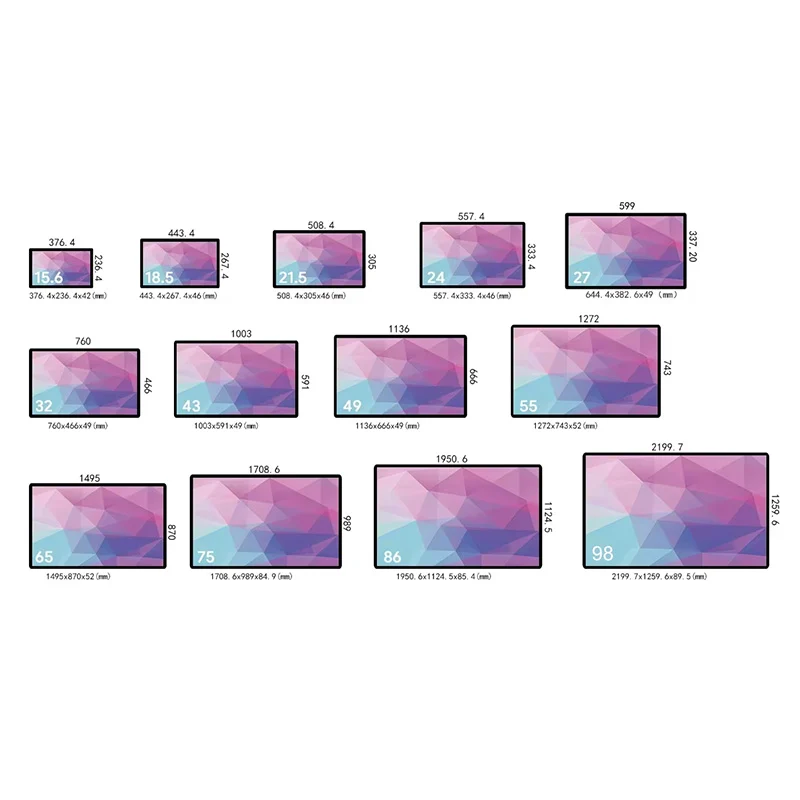
The family listing names 21.5, 24, 27 and 32-inch options. Those diagonal measurements help define a shortlist, but they do not establish the finished enclosure width, mounting dimensions or active display area. Ask for a dimensioned drawing of the exact quoted configuration. The drawing should also show the connector area and any space needed for cable bends, access or ventilation.
At a standing reception point, users must be able to reach important controls without stretching across the display. At a seated station, the viewing angle and keyboard arrangement may matter more. Build a full-size paper mock-up if the furniture is still being designed. Check the interface at its intended scale before making the enclosure. A larger screen can support a different layout, but increasing the diagonal does not automatically improve a poorly arranged form.
Build a peripheral connection matrix
This product page does not provide a complete, configuration-specific port schedule. Treat printers, scanners, cameras, readers, external audio and network equipment as items to verify individually. List each peripheral by its actual model and explain whether it receives power from the PC or from a separate supply. Then request the connector type, quantity, location and driver requirements for the proposed computer.
A peripheral matrix is particularly useful when several vendors are involved. It can record which party supplies a cable, which party installs a driver and who investigates a failure. Test all required devices together on the sample. A scanner that works by itself does not prove the entire station works when the printer is busy, the application is updating and the network connection is recovering. These are suggested buyer tests, not a claim about a predefined Alihh validation process.
Use the SDK with a defined integration scope
The official product material lists a free SDK and developer tools. Request the relevant documentation before promising a feature to your own customer. Ask which operating system, hardware revision and functions the SDK covers, and whether there is a sample application your developers can inspect. SDK availability does not establish that custom development, third-party licenses or every requested integration is included in the equipment price.
Define a small integration milestone. Your developer might need to start the application automatically, identify a connected device or return the screen to a welcome view after inactivity. Write down the expected result and who owns the implementation. If additional engineering is required, have its deliverables, dependencies and acceptance criteria listed separately. This keeps a hardware quotation from becoming an ambiguous promise to deliver a complete business application.
Plan installation and service access together
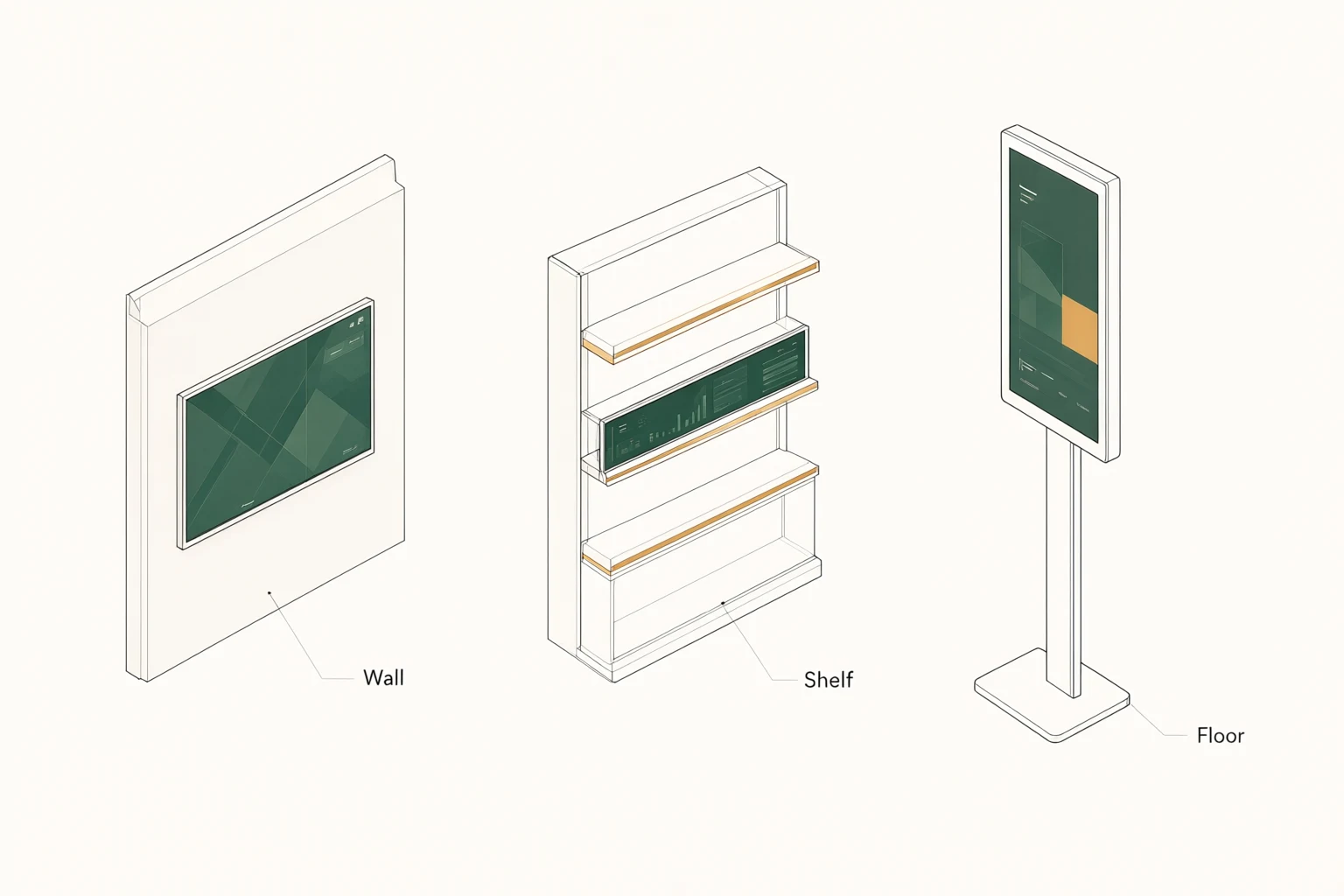
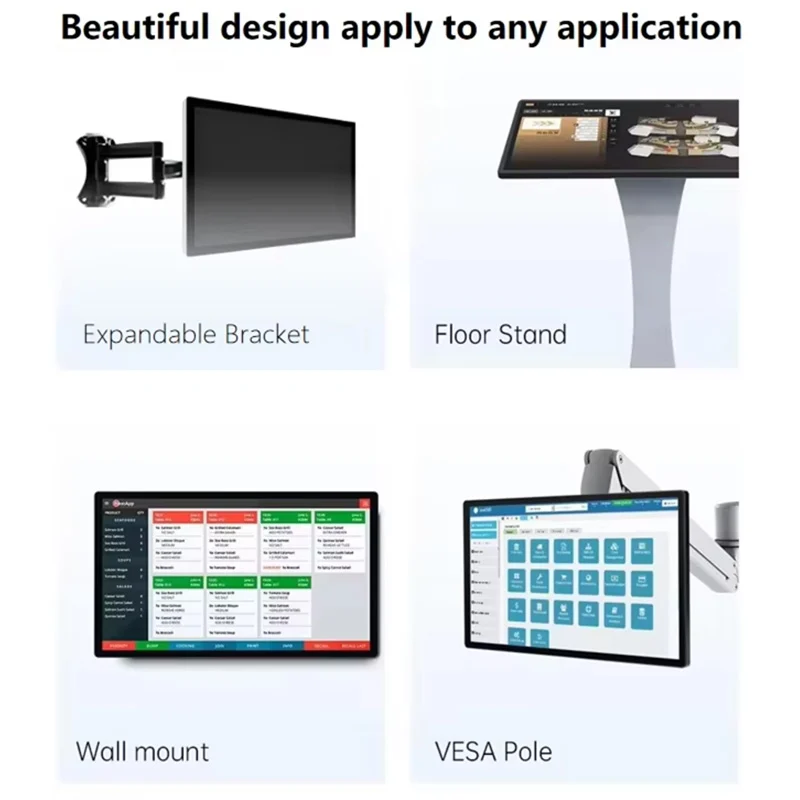
An integrated computer reduces the number of separate boxes in a station, but the installation still needs an electrical connection, cable routing and access for service. Confirm the proposed mounting arrangement with the actual product drawing. Do not assume a particular mounting pattern, bracket or fastener set is supplied. Where the device is built into furniture, ask the furniture contractor to review the clearances before fabrication.
Think through a replacement while the space is occupied. Can a technician disconnect the unit without dismantling a desk? Are cable labels visible? Can staff isolate power safely? Environmental requirements such as temperature, moisture exposure, cleaning products and operating hours should be supplied with the project brief. Ask Alihh to confirm the suitability of the quoted configuration for those conditions; this page does not establish an ingress rating or an unrestricted operating schedule.
Evaluate a sample using a repeatable record
A useful sample review produces a record that another person can repeat. Note the hardware configuration, operating system build, application version and peripheral list. Run the complete user journey, including an incorrect entry, a cancelled action and a return to the start screen. If a network service is required, check what the user sees when that service becomes unavailable and how the application recovers.
Review the display with your actual content, under the intended lighting. Record legibility, touch placement and any distracting reflections. Request the native panel resolution and brightness as configuration-specific values rather than borrowing specifications from another product. Keep photographs and issue notes together with the approved configuration. If a later order changes the computer board, panel or software image, ask whether the affected acceptance checks should be repeated before rollout.
Prepare an inquiry that can be priced
Send the screen size, quantity, destination and proposed installation alongside the software requirements. Include the required operating system, peripherals, connectivity expectations, mounting drawing and any appearance changes. Separate essential requirements from preferences so the supplier can identify where a different configuration might be acceptable. Request an itemized quotation covering the equipment, agreed accessories, engineering work and any software or service charges.
Ask for sample arrangements, production timing and commercial terms for your particular order; no universal delivery date or order threshold is promised here. If the project will expand in stages, explain the expected phases and request a plan for configuration continuity. Use the project inquiry form to provide the application details and a drawing. A clear brief gives both teams a specific configuration to review and avoids comparing prices for materially different systems.
Keep ownership clear after installation
The purchasing decision should include responsibility for the installed system. Your internal team may manage accounts and application updates while another supplier manages the network. Decide who records the approved image, stores recovery instructions and authorizes hardware substitutions. These are project planning recommendations; they are not statements that a particular support package is included with every Alihh computer.
For commercial approval, request the applicable warranty terms and service procedure in writing. Clarify what information is needed to diagnose a fault and which costs apply to transport, replacement parts or work outside the agreed cover. Keep that agreement with the final bill of materials. The practical objective is simple: when a screen needs attention, staff should know which team to contact and which configuration is installed.
Frequently asked questions
Can I order Android and Windows versions?
The product family offers Android or Windows configurations. Ask for separate configuration details if your project needs both types. Confirm the operating system version, licensing, application support and recovery method for each; do not assume dual boot or interchangeable software images.
Is this a monitor that needs an external computer?
This page concerns an all-in-one touch PC with a computing platform. If your project already has a host computer and needs only a touch display, review the product selection with the supplier before ordering. Explain which device will run the application.
Are processor and memory specifications fixed?
No fixed processor, memory or storage specification is stated here. Request those values for the exact quotation and have your application provider review them. If multiple configurations are offered, compare them using the same application workload and peripheral setup.
What should I provide for a first quotation?
Provide the application name, required operating system, preferred screen size, quantity, delivery destination and installation drawing. Add the peripheral list and any customization request. Ask for outstanding technical questions to be resolved before approving a sample or production configuration.